Build a RAG Chatbot in Next.js: Retrieval, Streaming & Citations (2026)
Build a RAG chatbot in Next.js with the AI SDK: embed the query, search pgvector, stream a grounded answer with citations, and stop hallucinations.

TL;DR
- A RAG chatbot in Next.js is a chat UI that retrieves your own data before it answers — so the model responds from your documents, not just its training set.
- The loop is three steps: embed the question → search a vector store → inject the hits into the prompt → stream a grounded answer.
- Use Supabase + pgvector for storage and the AI SDK for embeddings and streaming. No separate vector database required.
- Render citations in the UI. A RAG answer with no visible sources is just a chatbot with extra steps — citations are what make it trustworthy.
- Most RAG chatbots fail at retrieval, not generation. If the right chunks don’t surface, no prompt saves the answer.
A chatbot that makes things up is a liability
A plain LLM chatbot is confidently wrong about your business. Ask it about your refund policy, your API, or last quarter’s numbers and it will invent something plausible, because it has never seen your data. That’s not a bug you can prompt your way out of — the information simply isn’t in the model.
Retrieval-augmented generation fixes this by fetching the relevant facts at query time and handing them to the model as context. The model stops guessing and starts summarizing what you gave it. Done right, it also cites where each claim came from, so a human can verify it.
This post builds the whole thing in Next.js 15 with AI SDK 5: the retrieval step, the streaming chat UI, and — the part most tutorials skip — citations rendered in the interface plus the guardrails that keep the model honest.
One boundary up front: this is the product layer. If you want how the underlying pipeline works — chunking strategy, embedding choice, hybrid search, reranking — build the RAG pipeline from scratch first. This post assumes you have documents in a vector store and focuses on wiring them into a chatbot users actually trust.
What a RAG chatbot in Next.js actually is
A RAG chatbot in Next.js is a chat interface where every user question triggers a retrieval step — the app embeds the question, finds the most relevant chunks of your own content, and passes them to the LLM as grounding context before generating a streamed answer. Strip away the framing and it’s a three-stage request:
- Retrieve — turn the question into a vector, find the nearest chunks in your store.
- Augment — build a prompt that says “answer using only this context,” with the chunks inlined.
- Generate — stream the model’s answer back to the UI, with citations.
The model never sees your whole knowledge base. It sees the handful of chunks retrieval decided were relevant. That’s the entire game — and it’s why retrieval quality, not prompt cleverness, decides whether your chatbot is useful.
💡 Key insight: RAG doesn’t make the model smarter. It makes the model informed. Everything good about the answer traces back to what retrieval put in front of it.
The vector store: Supabase + pgvector
You don’t need a dedicated vector database. pgvector runs inside the Postgres you probably already have, which means one less service to operate. Enable the extension and create a table:
create extension if not exists vector;

create table documents (
  id bigserial primary key,
  content text not null,
  source text,               -- url or title, for citations
  embedding vector(1536)     -- text-embedding-3-small = 1536 dims
);

-- cosine-distance similarity search
create or replace function match_documents (
  query_embedding vector(1536),
  match_count int default 5
) returns table (id bigint, content text, source text, similarity float)
language sql stable as $$
  select id, content, source,
         1 - (documents.embedding <=> query_embedding) as similarity
  from documents
  order by documents.embedding <=> query_embedding
  limit match_count;
$$;
The <=> operator is cosine distance; 1 - distance gives you a similarity score you can threshold on. Add an index (ivfflat or hnsw) once you have real volume.
Embedding and retrieval with the AI SDK
The AI SDK gives you embed for a single value and embedMany for batches. Embed the user’s question, then hand the vector to your match_documents function:
// lib/retrieve.ts
import { embed } from 'ai';
import { openai } from '@ai-sdk/openai';
import { createClient } from '@supabase/supabase-js';

const supabase = createClient(process.env.SUPABASE_URL!, process.env.SUPABASE_KEY!);

export async function retrieve(query: string) {
  const { embedding } = await embed({
    model: openai.textEmbeddingModel('text-embedding-3-small'),
    value: query,
  });

  const { data, error } = await supabase.rpc('match_documents', {
    query_embedding: embedding,
    match_count: 5,
  });
  if (error) throw error;

  // Drop weak matches — a bad hit is worse than no hit.
  return (data ?? []).filter((d) => d.similarity > 0.75);
}
That similarity filter matters more than it looks. A low-relevance chunk doesn’t just waste tokens — it actively misleads the model, which will dutifully summarize garbage if you feed it garbage. Threshold, don’t just take the top 5.
Wiring retrieval into the streaming route
Now connect retrieval to generation. The route embeds the latest question, retrieves context, builds a grounding system prompt, and streams the answer. It reuses every production pattern from the Vercel AI SDK production guide — abort signal, error mapping:
// app/api/chat/route.ts
import { openai } from '@ai-sdk/openai';
import { streamText, convertToModelMessages, type UIMessage } from 'ai';
import { retrieve } from '@/lib/retrieve';

export const runtime = 'nodejs';

export async function POST(req: Request) {
  const { messages }: { messages: UIMessage[] } = await req.json();

  // The question is the last user message's text.
  const last = messages.at(-1);
  const question = last?.parts.find((p) => p.type === 'text')?.text ?? '';

  const chunks = await retrieve(question);
  const context = chunks
    .map((c, i) => `[${i + 1}] (${c.source})\n${c.content}`)
    .join('\n\n');

  const result = streamText({
    model: openai('gpt-5.6'),
    abortSignal: req.signal,
    system: [
      'You answer using ONLY the context below.',
      'If the context does not contain the answer, say you do not know.',
      'Cite sources inline with their bracket numbers, e.g. [1].',
      '',
      context || '(no relevant context found)',
    ].join('\n'),
    messages: convertToModelMessages(messages),
  });

  return result.toUIMessageStreamResponse({
    // Attach the retrieved sources so the client can render citations.
    messageMetadata: () => ({ sources: chunks.map((c) => c.source) }),
  });
}
Two decisions that make or break trust. First, the system prompt says “answer using ONLY the context” and “say you do not know” — this is your primary hallucination guardrail. Second, messageMetadata ships the retrieved sources alongside the stream so the UI can show them.
Rendering citations in the chat UI
A grounded answer nobody can verify isn’t grounded in practice. Surface the sources with the message:
'use client';
import { useChat } from '@ai-sdk/react';
import { useState } from 'react';

export default function Chat() {
  const { messages, sendMessage, status } = useChat();
  const [input, setInput] = useState('');

  return (
    <div>
      {messages.map((m) => (
        <div key={m.id}>
          <strong>{m.role}: </strong>
          {m.parts.map((p, i) => (p.type === 'text' ? <span key={i}>{p.text}</span> : null))}

          {/* Citations from messageMetadata */}
          {m.role === 'assistant' && m.metadata?.sources?.length > 0 && (
            <ul>
              {m.metadata.sources.map((src, i) => (
                <li key={i}>
                  [{i + 1}] <a href={src}>{src}</a>
                </li>
              ))}
            </ul>
          )}
        </div>
      ))}

      <form
        onSubmit={(e) => {
          e.preventDefault();
          sendMessage({ text: input });
          setInput('');
        }}
      >
        <input value={input} onChange={(e) => setInput(e.target.value)} />
      </form>
    </div>
  );
}
Now every answer arrives with a “Sources” list. Users can click through and check. That single UI affordance is the difference between a demo and something a team will actually rely on.
Grounding guardrails that stop hallucinations
The system prompt is necessary but not sufficient. Layer these:
- Threshold retrieval (shown above). No chunk clears the bar? Return “I don’t have information on that” instead of an empty-context guess.
- Instruct the “I don’t know” path explicitly. Models default to helpfulness; you have to make refusal an allowed, expected outcome.
- Keep context tight. Five focused chunks beat twenty loose ones — more context dilutes attention and raises cost.
- Cite by construction. Number the chunks in the prompt and require bracket citations. If the model can’t point to a chunk, it shouldn’t make the claim.
- Log the retrieved chunks per answer. When the bot is wrong, you’ll almost always find retrieval, not generation, was the culprit.
💡 Key insight: You cannot debug a RAG chatbot by reading its answers. You debug it by reading what retrieval fed it. Log the chunks.
Common mistakes
- Skipping the similarity threshold — feeding low-relevance chunks that mislead the model.
- No “I don’t know” path — the model invents an answer when context is empty.
- No citations in the UI — users can’t verify, so they either over-trust or don’t trust at all.
- Dumping the whole knowledge base into context — expensive, slower, and worse answers from diluted attention.
- Blaming the model for retrieval failures — most wrong answers are wrong chunks. Fix retrieval first.
- Embedding the raw multi-turn history instead of the actual question — retrieval quality craters.
Best practices, in order
- Threshold every retrieval and return a graceful “I don’t know” when nothing clears the bar.
- Ground hard in the system prompt — “only this context,” and refusal is allowed.
- Render citations with every assistant message; make them clickable.
- Keep context small and focused — quality of chunks over quantity.
- Log retrieved chunks per query for debugging and evals.
- Reuse production patterns from the AI SDK — abort signal, rate limit, cost logging — a RAG route is still a model route.
- Measure retrieval with an eval set before you tune prompts. If recall is bad, prompting is rearranging deck chairs.
RAG vs the alternatives
| Approach | Best for | Cost / effort | Freshness |
|---|---|---|---|
| RAG chatbot | Answering from your own, changing data | Moderate | Live — update the store |
| Fine-tuning | Style, format, narrow domain behavior | High, retrain to update | Frozen at training time |
| Long-context stuffing | Small, static doc sets | Low setup, high per-call cost | Manual |
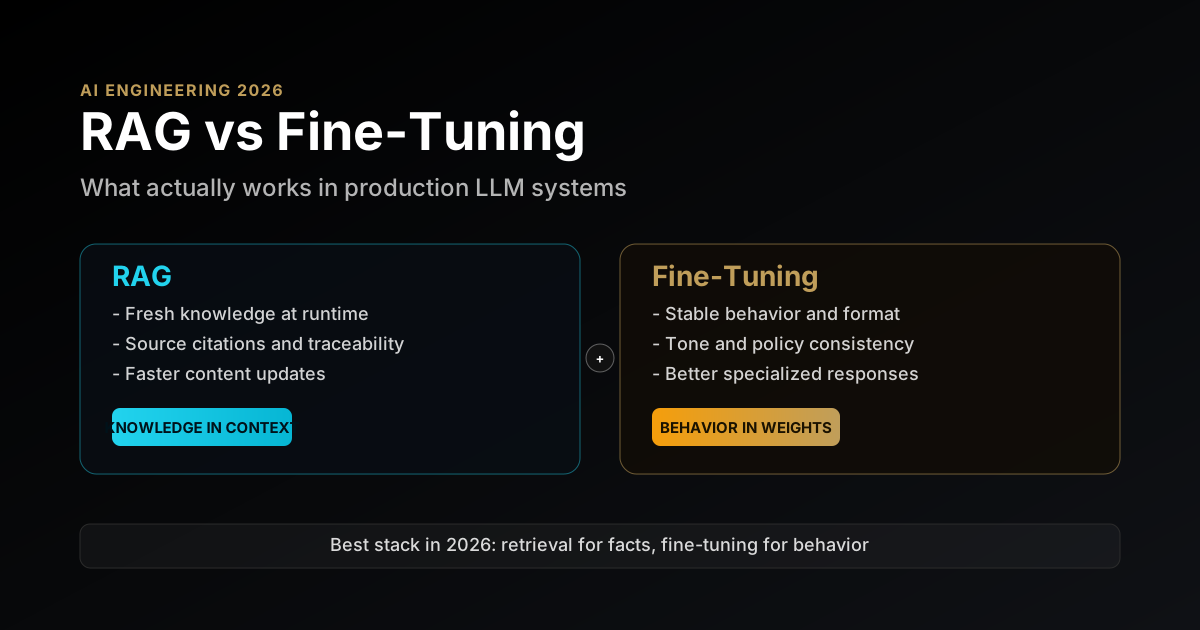
For a chatbot over documents that change, RAG is the default — it’s cheaper to keep fresh and it can cite. Fine-tuning teaches behavior, not facts; the two are complementary, not competing. If you’re deciding, RAG vs fine-tuning breaks down exactly when each wins.
The runnable example
A complete, runnable RAG chatbot — Supabase schema and match_documents function, an ingestion script that chunks and embeds with embedMany, the streaming route with grounding, and the citations UI — is in a self-contained project: rag-chatbot-nextjs on GitHub. Clone it, point it at your own docs, and you have a grounded chatbot in an afternoon.
FAQ
Questions readers usually have
The questions that come up once you move a RAG chatbot past the demo.
Conclusion
A RAG chatbot is only as good as what retrieval feeds it — and only as trustworthy as the citations it shows. Get retrieval right, ground the model hard, and render sources users can click, and you’ve built a chatbot a team will actually rely on instead of quietly distrust. The Next.js and AI SDK plumbing is the easy 20%; the retrieval quality and the trust affordances are the 80% that decides whether it ships.
From here: harden it with the production patterns from the AI SDK guide, deepen retrieval with the from-scratch pipeline, and settle the RAG vs fine-tuning question for your use case.
Sources
- AI SDK — Embeddings (
embed/embedMany) - AI SDK RAG guide
- Supabase — Storing OpenAI embeddings in Postgres with pgvector
- Supabase — AI & Vectors docs
- pgvector
Written for umesh-malik.com — no-fluff technical writing on AI, Web Dev, and Engineering.
Google Search · Preferred sources
Prefer this site on Google
If you already read this writing, add umesh-malik.com as a Preferred Source. Google can then highlight it with a preferred badge in Top Stories, AI Overviews, and AI Mode — for you, not as a site-wide ranking boost.
Related Articles

AI Engineering
Vercel AI SDK in Production: Streaming, Tool-Calling & the Gotchas Nobody Tells You (2026)
Vercel AI SDK in production: streaming, tool-calling, aborting generations, error retry UX, rate limiting, and cost control — the layer every tutorial skips.

AI Engineering
Build a RAG Pipeline From Scratch: Production Patterns That Matter
Build a RAG pipeline from scratch: chunking, embeddings, retrieval, reranking, grounded generation, and the production patterns that decide whether it works.
AI Engineering
RAG vs Fine-Tuning for LLMs in 2026: A Production Decision Framework With Real Tradeoffs
RAG vs fine-tuning for LLMs in 2026: a practical decision framework covering architecture tradeoffs, cost, latency, and when to use each in production.
Keep reading
Get new posts on AI, Claude Code & LLMs
New deep-dives on AI engineering, Claude Code, and developer tooling — follow along however you prefer.
About the Author

Software engineer writing about AI, Claude Code, LLMs, OpenAI, Anthropic, and developer tooling. 5+ years building production systems at Expedia Group, Tekion, and BYJU'S.